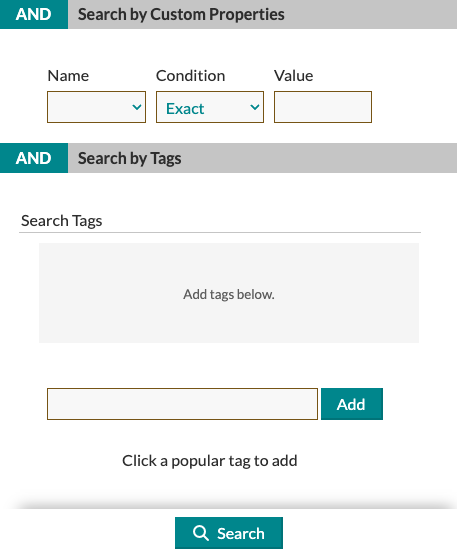
Tags & Custom Properties are a way for you to associate information with an item, which you can later search for within the Item Gallery. You can add as many or as few as you would like when adding a new item or editing an existing one.
Tags:
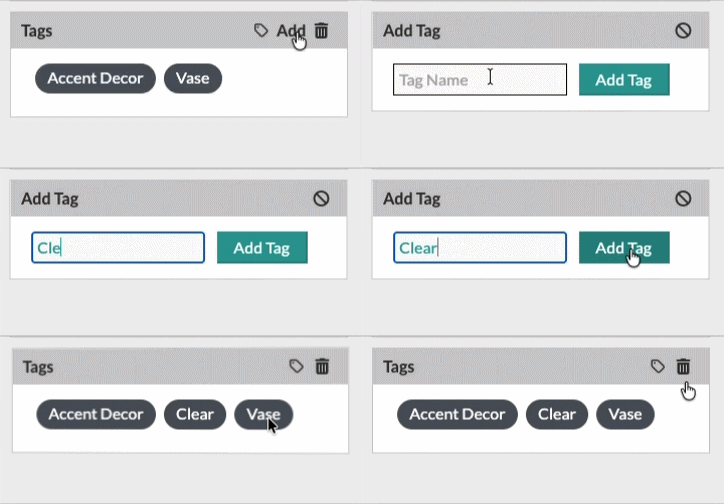
You can tag your items within the Gallery on the Item Editor or within the More Details page of an item. To add a tag, use the Tags section to type in your desired verbiage and then click Add.
Custom Properties:
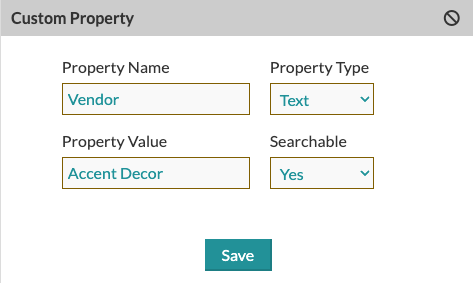
Similar to Tags, Custom Properties will allow you to associate relevant information to your Items in the Item Gallery. To add a Custom Property, click the + symbol and then fill in the Property Name, Property Type, Property Value, and whether or not that information should be Searchable. Make sure to click Save to store your changes.
Search & Filters:
On the Search/Filters within the Item Gallery, you can search by Tags and Custom Properties (If you have it set to Searchable).