
Within the 'Company' section of your main menu, you will find an AI option. Here, you will be able to see each generation made within your account to reference and utilize.
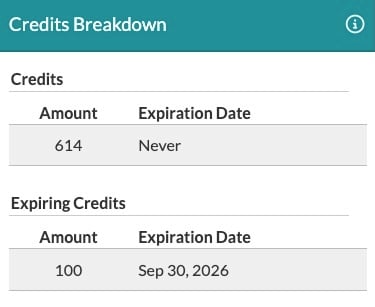
At the top of the page, you will see your AI Balance Overview. This is where you can see your total available credit, your expiring credits, and your rollover credits broken down.

Clicking on the drop-down menu next to the Available Credits will show you an itemized breakdown.
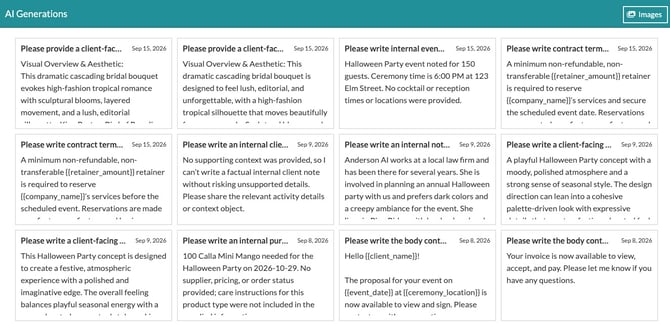
 At the bottom of the page you will see your AI Generations. This will be a running view of each generation made within your account. You will see Text generations by default or you can click the 'Images' button in the top right to view your Image generations.
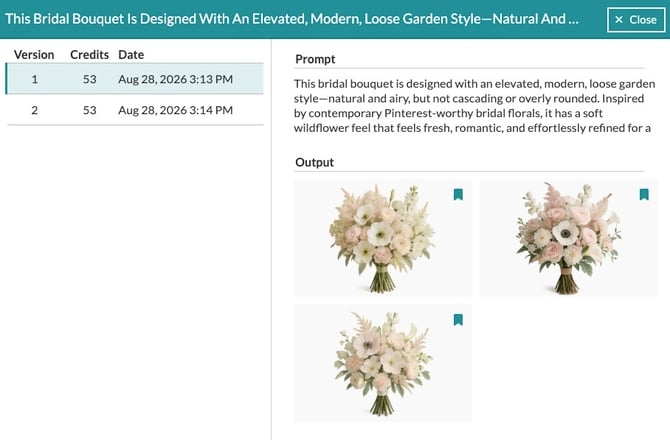
Clicking on any Text or Image generation will show you the full history of that session. Each version is available to click on and view, and you can see the total credits used for that generation.
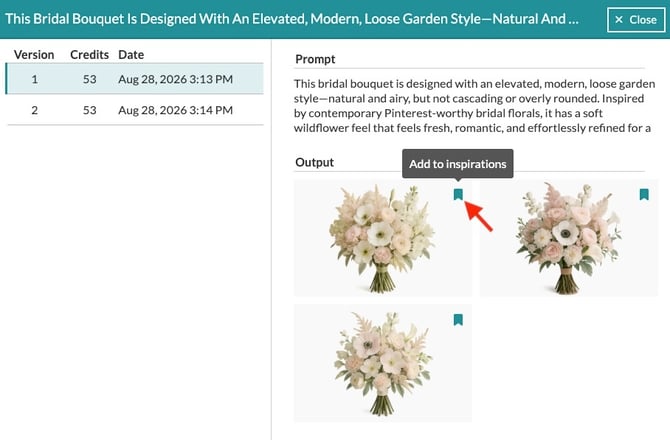
For image generations, you will have a save icon in the top right corner, which will allow you to add the image to your Inspiration Gallery. That way, even if you didn't wish to use it at the time of creation, you can always go back and use it in the future if you change your mind.
💡 Data here will be stored for a total of 30 days. After which, it will be removed from the history and will no longer be accessible.